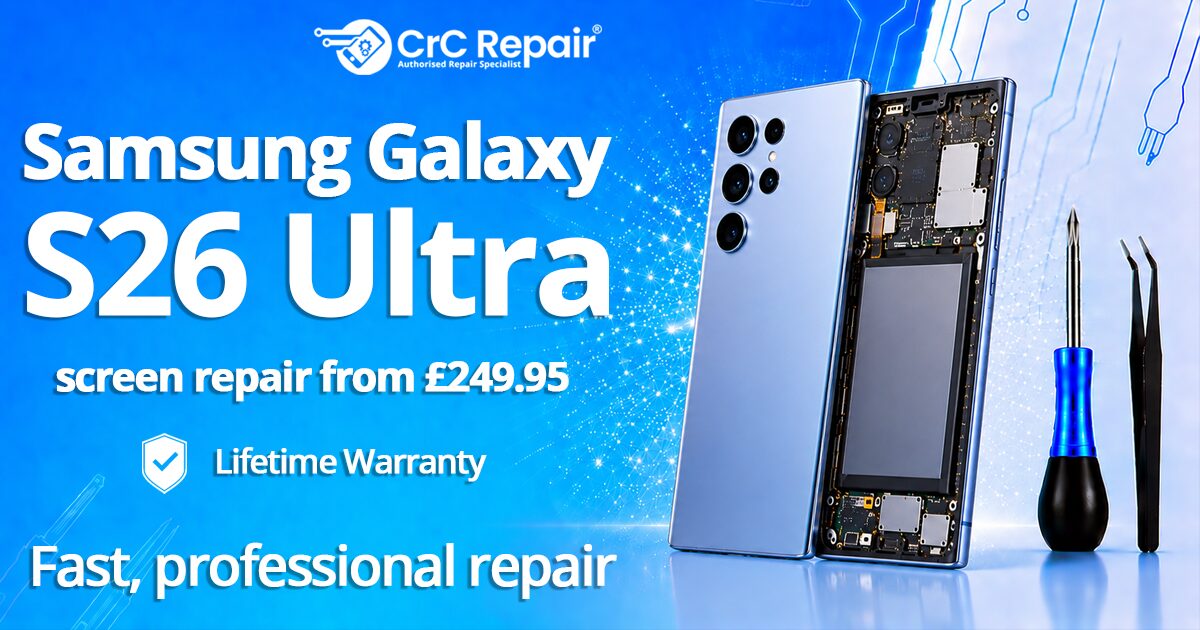
Samsung Galaxy S26 Ultra screen repair
You dropped it. The new Galaxy S26 Ultra you queued for in February now has a crack running from corner to corner, the Always-On Display is half-dark, and your stomach has dropped to the floor. We see it every day at CrC Repair® — and the good news is, a cracked S26 Ultra screen is one of the most fixable faults out there, usually back in your hand within the day.
Here’s the no-nonsense 2026 guide to Galaxy S26 Ultra screen repair in the UK: what it should cost, how long it takes, what to look out for, and why dropping it at a CrC Repair® store beats a back-street “we’ll do it for £80” shop.
Why the S26 Ultra screen is more expensive than older Galaxies
The S26 Ultra uses Samsung’s latest QHD+ Dynamic AMOLED 2X panel, with the ultrasonic in-display fingerprint sensor, a higher peak brightness, and the curved-edge laminated glass we’ve come to expect on Ultra models. That panel is a single bonded unit — glass, OLED, digitiser and sensor — which is why a cracked piece of glass usually means a whole-display replacement rather than a £30 glass swap. Anyone quoting you £80–£100 for an S26 Ultra “screen repair” is almost certainly fitting a low-grade aftermarket panel that will lose colour calibration and fingerprint recognition within weeks.
What a proper Galaxy S26 Ultra screen repair costs in 2026
Realistic UK pricing for a like-for-like OEM-grade S26 Ultra screen replacement currently sits in the £249–£300 range. CrC Repair® gives you a written, no-pressure quote in store after a free diagnostic — and every screen repair includes our lifetime warranty. If a different shop is quoting half that, ask three questions: is the panel OEM, is the fingerprint sensor reactivated, and what warranty do they put in writing?
How long does it take?
Most S26 Ultra screen replacements are completed in 1–3 hours at our Bournemouth, Colchester, Farringdon, Glasgow, Norwich, Romford, Stoke-on-Trent, Surrey Quays, Whetstone and Wolverhampton stores. Walk in, grab a coffee, come back to a brand-new display and a recalibrated fingerprint sensor.
5 things to do before you bring your S26 Ultra in
- Back up to Samsung Cloud or Google. We take every care, but a fresh backup is always sensible.
- Disable Find My Mobile and remove your Samsung account lock. This lets us test the device properly after repair.
- Don’t put tape on the crack. It complicates clean removal of the cracked glass and can lift the OLED.
- Avoid pressing the cracked area. You’ll spread the damage into the active OLED layer.
- Bring your case and any S Pen or accessory you suspect is involved. We can sometimes spot why it broke and help you avoid a repeat.
Watch out for these three after-repair red flags
- “Unable to verify display” warning in Settings — a sign of a non-genuine panel without proper pairing.
- Fingerprint sensor stops working or becomes slow — usually means the ultrasonic sensor wasn’t recalibrated.
- Auto-brightness or Always-On Display behaving oddly — usually a software-flag or ambient-sensor pairing issue.
At CrC Repair® we handle the pairing and calibration as part of the standard job, not an upsell. That’s what 20 years of Samsung experience and 20,000+ repairs a year buys you.
Insurance, trade-in and other options
CrC Repair® is the engineering partner for Pocket Geek Tech Repair and handles insurance repairs for several major UK high-street banks. If your phone insurance is via your bank or current account, there’s a strong chance your claim is being fulfilled by us anyway. If a repair isn’t economical, we also buy working and broken Galaxy S26 Ultras for trade-in — see our we-buy page for an instant valuation, or browse the full Samsung repairs service page for every Galaxy model we handle.
Book your S26 Ultra screen repair today
Don’t live with a cracked Ultra for another week. Find your closest store on our store locator or book your repair online and we’ll get you back to a flawless display today — with a lifetime warranty in writing.