Water damaged phone what to do
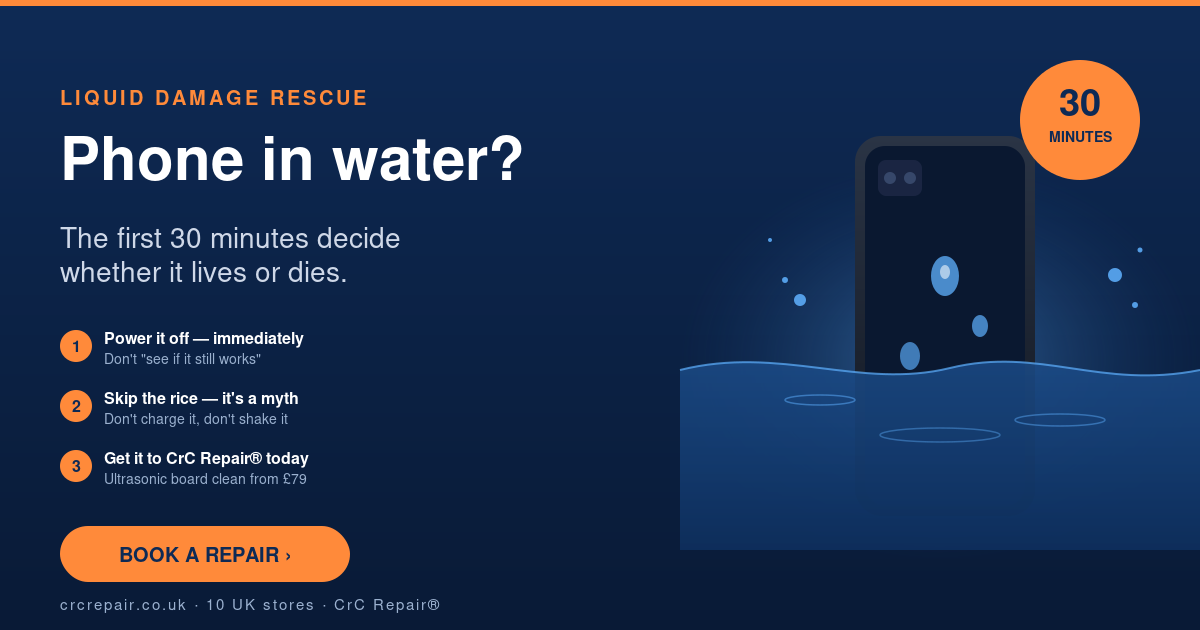
It’s a sound every phone owner dreads — the splash, the sinking feeling, the frantic grab. Whether your iPhone went into the pool, your Galaxy hit the kitchen sink, or your kid’s iPad survived a milkshake, what you do in the next half an hour decides whether your phone lives or becomes a £900 paperweight.
CrC Repair® rescues hundreds of liquid-damaged devices every year across our ten UK stores — Bournemouth, Colchester, Farringdon, Glasgow, Norwich, Romford, Stoke-on-Trent, Surrey Quays, Whetstone and Wolverhampton. Summer is our busy season for this: pool drops, beach mishaps, garden parties, festival mud. Here’s the protocol that gives your phone the best possible chance of surviving — and the myths that kill more phones than the water itself.
The first 30 minutes: do this NOW
- Power it off immediately. If it’s still on, hold the power button and shut down. Don’t wait to “see if it’s OK”. Live current + water = corroded logic board.
- Take it out of the case. Cases trap water against the chassis and stop it draining.
- Remove the SIM tray. This opens an extra drainage path and is the only safe panel you should pop.
- Wipe every visible surface dry with a clean, lint-free cloth — including the lightning/USB-C port and the speaker grilles.
- Stand it upright on a towel, ports facing down, in a cool dry room. Don’t lay it flat.
- Get it to a repair workshop today. The longer water sits on the board, the more corrosion grows. Tomorrow is too late.
Do NOT do any of these — they make things worse
- Don’t put it in rice. Rice is a myth. It draws moisture out of the air, not from inside a sealed phone, and rice dust gets into the ports.
- Don’t try to charge it. Pushing current through a wet logic board causes instant, often irreversible short circuits.
- Don’t blow it with a hairdryer. Hot air drives moisture deeper into the device and can warp the OLED.
- Don’t shake it. You’re just spreading droplets across components that were dry a second ago.
- Don’t turn it on to check. Even if it works, you’re racing corrosion that’s already started.
Why “it turned back on, I’m fine” is a trap
One of the cruellest tricks liquid damage plays is that the phone often boots up fine the next day. The owner relaxes — and then two weeks later the speaker goes, then the camera, then the screen, then it won’t charge. By the time it’s properly broken, the corrosion has spread across the board, and what could have been a £39 clean-and-rescue is now a £400+ board repair. If your phone has been in liquid, a same-day ultrasonic clean is cheap insurance.
What CrC Repair® does when you bring a wet phone in
- Free, no-obligation diagnostic to assess depth and type of liquid intrusion (fresh water, salt, sugary drinks and beer all behave differently)
- Full disassembly and ultrasonic clean of the logic board
- Component-level inspection under microscope for early signs of corrosion
- Targeted board-level repair if any components have already failed (cost will be confirmed before repair)
- Re-seal of the chassis with new gaskets where required to restore water resistance
Liquid-damage diagnostics start from £39 and many devices we rescue need nothing more than a deep clean. Browse our full iPhone repairs and Samsung repairs pages for everything else we cover.
Summer is coming — protect your phone before the splash
With UK summer holidays around the corner, a quick prevention checklist: keep your phone in a waterproof pouch around water; don’t trust IP68 ratings after a screen repair done elsewhere (the seal is rarely properly restored); and never charge a phone that has even slight condensation in the camera lens.
Get it to us today
Time is the single biggest factor in saving a water-damaged phone. Walk into your closest CrC Repair® store or book your repair online — we’ll have the diagnostic done within the hour.